Hi there! I'm a designer with a background in graphic design who has moved into UX and product design. My experience in visual communication helped me develop a strong understanding of branding and storytelling, while UX design showed me how design can improve real user experiences.
I’m passionate about accessibility and creating seamless, intuitive experiences that feel simple and comfortable for everyone. During my placement year, I worked as a UX Design Intern at Rapid7, where I gained valuable experience working within professional product teams and designing with real users in mind.
Outside of design, I enjoy playing video games, photography, and exploring different creative outlets, which continue to inspire my work and creative process.

Memori is a memory app that helps users organise and remember important moments in a calm and emotionally supportive way. Users can add an item in three ways, they can scan the object using their phone camera, or place it into the Memori box for automatic identification. They can also use it for items that no longer exist to create a visual recap of what was important about that time in their lives.
I chose this project because I wanted to design something emotionally meaningful, not just another productivity tool. We all deal with loss in our lives, looking back at items from the past or from late family members helps take away the pain for some of us. This was the main goal of Memori, to make people remember the past and share their memories with loved ones.
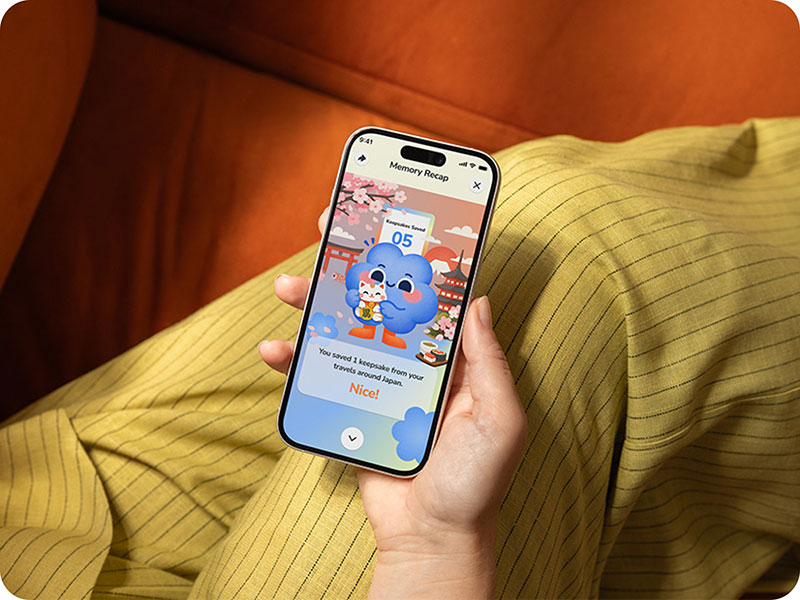
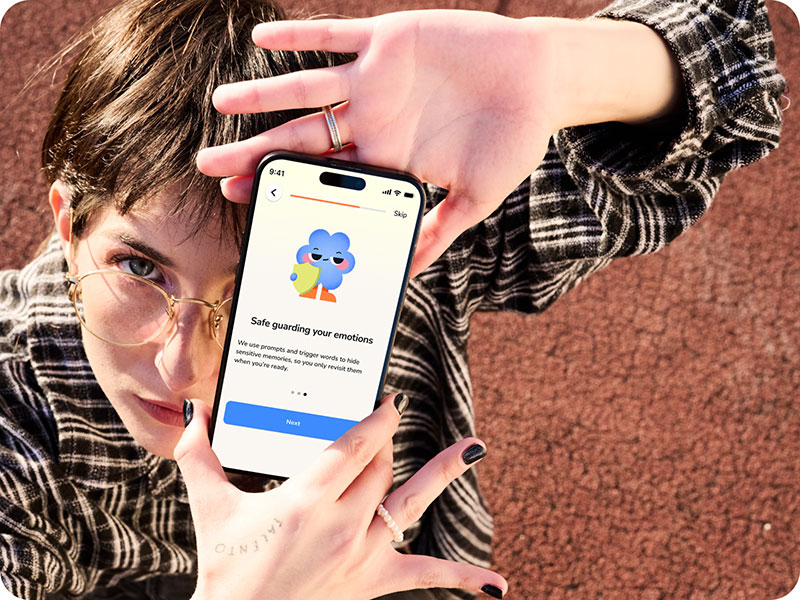
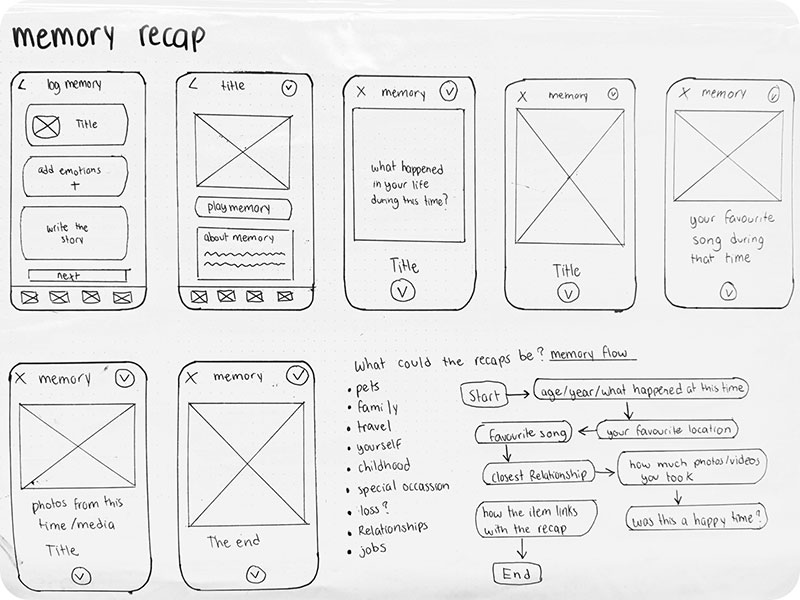
I started by creating low-fidelity wireframes for Memori to quickly explore ideas, user flows and screen layouts without focusing on the visual design. This allowed me to test how users would move through key features such as scanning an item, creating memories and viewing recap stories.
I then moved into mid-fidelity wireframes, where I focused on improving the structure, content hierarchy and overall layout of each screen. This stage helped me refine navigation and ensure the user journey felt clear and intuitive.

To start, I conducted user interviews, surveys and desk research around memory keeping, nostalgia and emotional attachment to objects. This helped me validate the need for Memori and understand how people preserve memories, as well as what features would be most meaningful to them.
After gathering my research, I created empathy maps, user journey maps and workflows to better understand the user's experience and emotional needs. This helped me identify pain points and refine how users would interact with the app.
I then moved on to information architecture, user flows and wireframes to organise the structure of the app and map out features such as scanning objects, creating memories and viewing recap stories. From there, I developed low and mid-fidelity wireframes before applying my branding, design system and illustrations to create the final prototype.
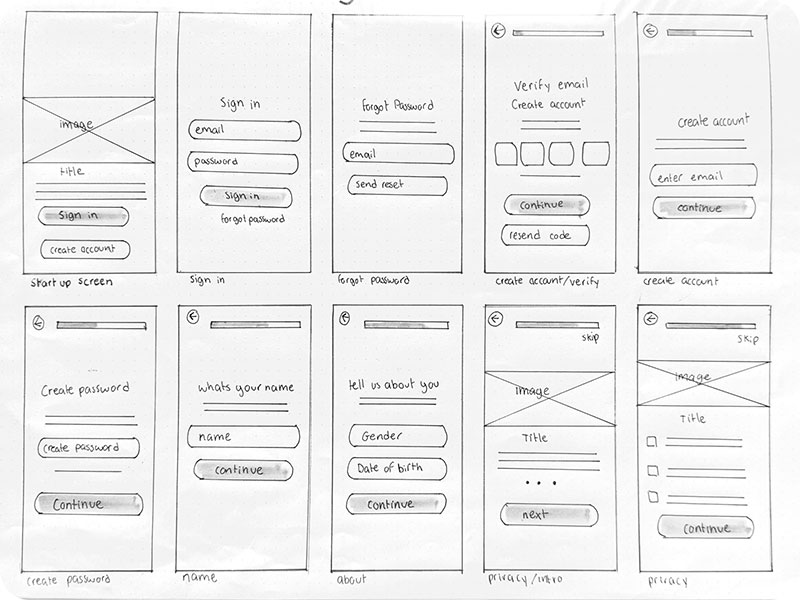
After completing my user interviews and usability testing, I used the feedback to make final improvements to my wireframes and prototype. This helped me identify unclear interactions, improve navigation and create a smoother user experience.
The prototyping stage was one of the most valuable parts of the project. It allowed me to bring all of the screens and user journeys together while developing my skills in Figma, Auto Layout, components and interactive design.
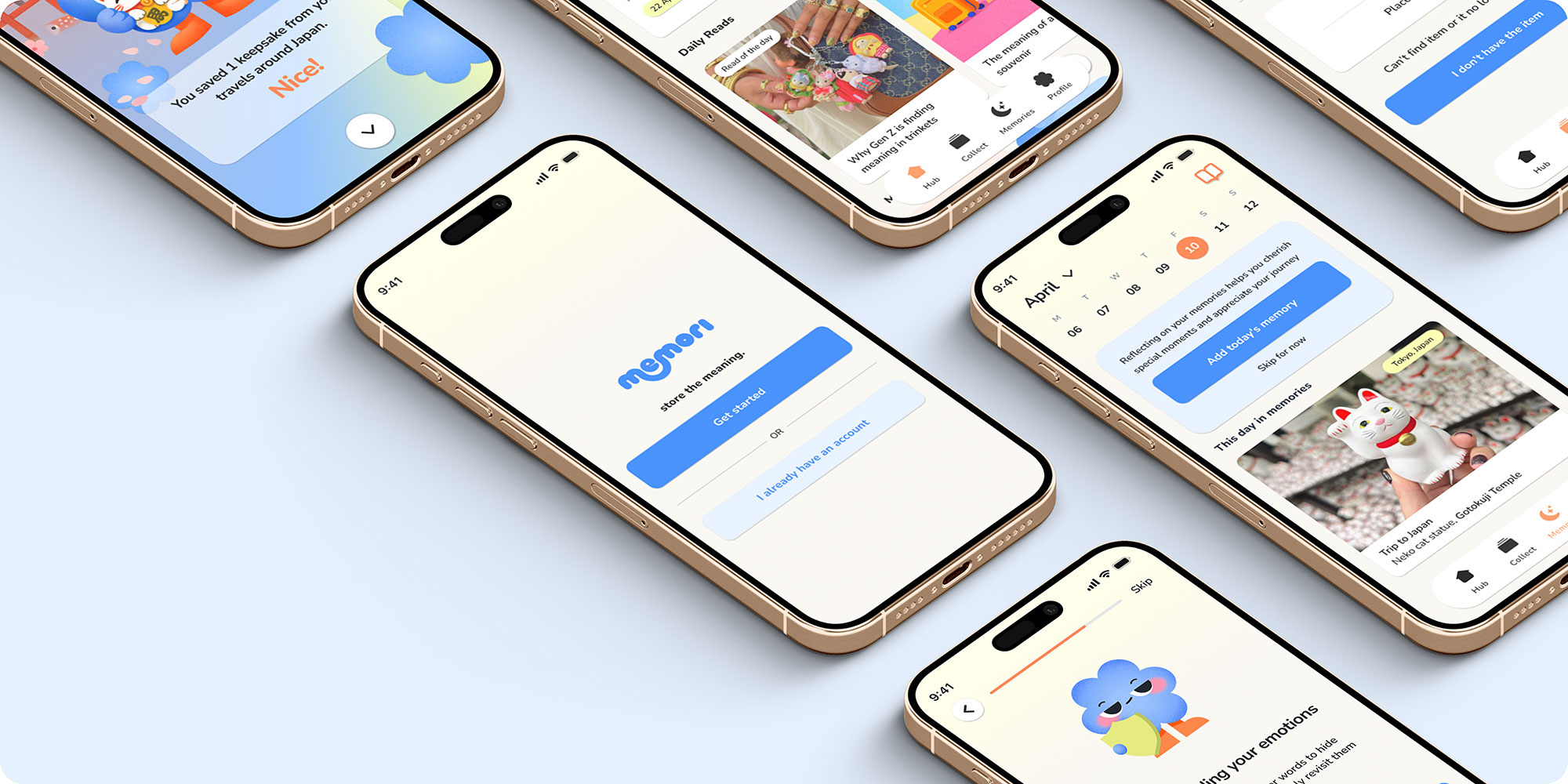
Overall, I am really proud of the outcome of Memori and how it developed from an initial idea into a fully realised concept. What started as an interest in preserving memories and sentimental objects evolved into a digital experience focused on storytelling, emotional connection and accessibility.
Throughout the project, I learned that UX design is much more than creating visually appealing screens. Research, testing and iteration played a huge role in shaping the final outcome, and user feedback helped me make more informed design decisions.
This project pushed me outside of my comfort zone, particularly when creating user journeys, information architecture and a large-scale interactive prototype. It challenged me to think more critically, solve problems and become more confident in my design decisions.
